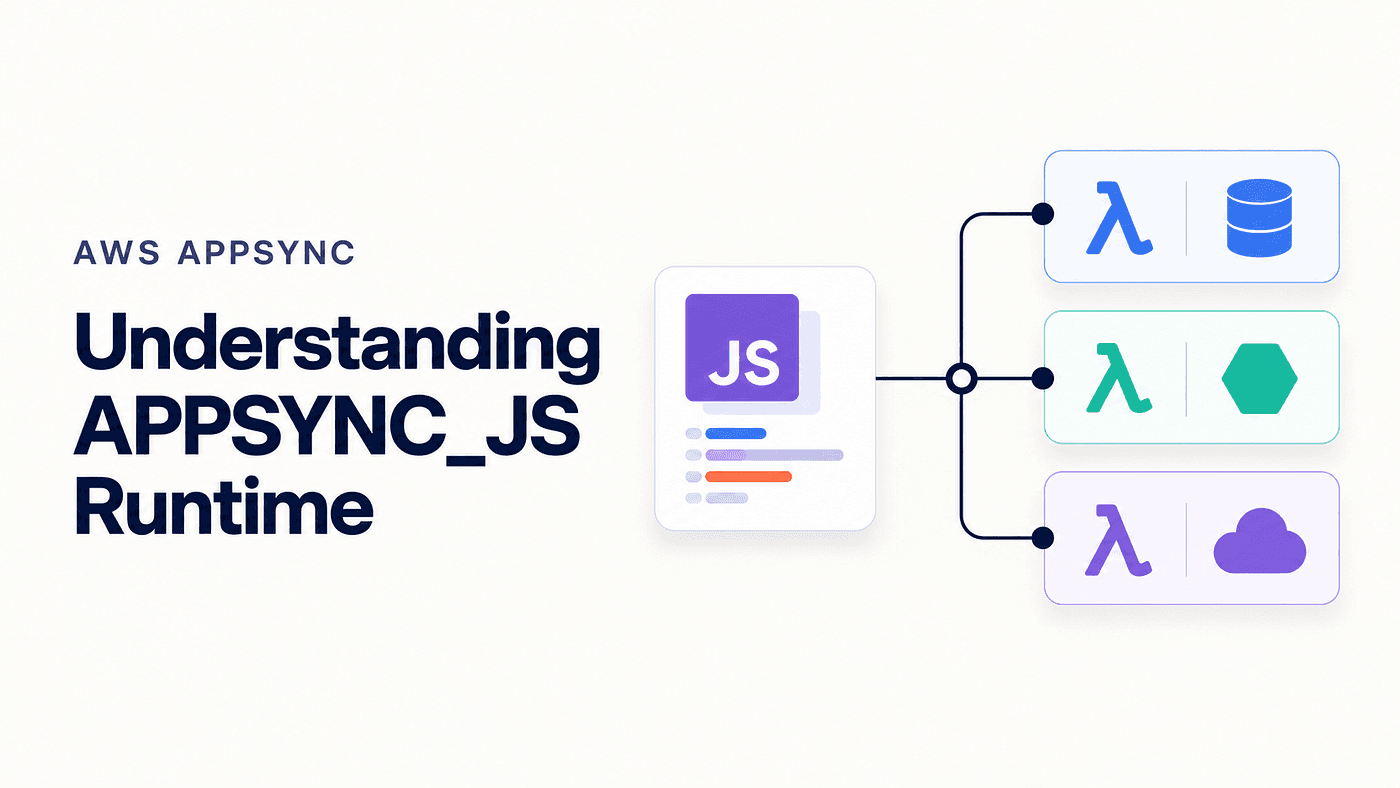
If you already know JavaScript, AppSync JavaScript resolvers feel easy at first. The syntax is familiar. You have functions, objects, arrays, conditions, and imports. That familiarity is useful, but it also creates the most common mistake developers make with the runtime,**APPSYNC_JS is not Node.js ,**It is a smaller JavaScript runtime built for AppSync resolver execution.
A Simple Mental Model
The easiest way to think about it is this:
Read ctx
   ↓
Validate or transform input
   ↓
Build a data-source request
   ↓
Transform the result
That is what a resolver is good at.
It is not meant to behave like a small backend server that runs async workflows, loads Node.js modules, or makes arbitrary network calls.
A basic resolver usually looks like this:
export function request(ctx) {
  // Return the request shape required by the configured data source.
}

export function response(ctx) {
  return ctx.result;
}
The request() function prepares the operation. AppSync sends it to the configured data source. Then response() handles the result.
What Works and What Does Not
A good amount of JavaScript is available in APPSYNC_JS, so simple resolver logic still feels familiar.
You can work with objects, arrays, functions, template literals, optional chaining, nullish coalescing, spread syntax, switch, for...of, and for...in. Common array methods such as map, filter, reduce, forEach, find, some, and every are also useful for small data transformations.
The restrictions become noticeable when the code starts behaving more like a normal Node.js service.
For example, async and await, Promises, try/catch, throw, classes, traditional for (;;) loops, and direct Node.js APIs are not part of the normal APPSYNC_JS execution model. You also cannot treat a resolver like a process that opens files or makes arbitrary network calls by itself.
Quick Runtime Support Reference
APPSYNC_JS supports a practical subset of JavaScript. The easiest way to scan it is to separate the features you can use from the ones you should avoid.
Supported
constandlet- Objects and arrays
- Functions and arrow functions
if,else, andswitchfor...ofandfor...inmap,filter,reduce,forEach,find,some, andevery- Optional chaining
?. - Nullish coalescing
?? - Spread syntax
... - Template literals
JSON.parse()andJSON.stringify()- AppSync utilities from
@aws-appsync/utils
Not Supported
asyncandawait- Promises
try,catch, andfinallythrow- Traditional
for (;;)loops whileanddo...whilecontinue- Classes
this- Recursive function calls
- Function constructors
call,apply, andbind++,--, and~ininstanceof
Runtime Environment Limits: These are not JavaScript syntax restrictions. They come from the fact that APPSYNC_JS is not a Node.js runtime.
- No normal Node.js built-ins such as
fs,path,crypto,process, orBuffer - No direct filesystem access
- No arbitrary direct network calls
- External I/O should go through AppSync data sources such as DynamoDB, HTTP, or Lambda
A simple rule to remember:
APPSYNC_JSis designed for resolver logic and data-source requests, not for running general Node.js application code.
Where Developers Usually Get Into Trouble
Most problems start when resolver code is written with the same assumptions we use in a normal Node.js service.
- Using Node.js APIs without thinking about the runtime
Something likeimport crypto from "crypto"orprocess.env.TABLE_NAMEfeels completely normal if you are coming from Lambda. InAPPSYNC_JS, those Node.js APIs are not available in the same way. - Writing async code out of habit
It is easy to reach forasync,await, or Promises because that is how we normally handle I/O in JavaScript. AppSync resolvers work differently. The resolver usually builds a request, then AppSync sends it to the configured data source. - Assuming a package will work because it bundles
@aws-appsync/utilsis built for the resolver runtime. A package such asaxiosmay bundle without an obvious error, but it can still depend on Node.js behavior thatAPPSYNC_JSdoes not support.
Production Troubleshooting
When a resolver fails after deployment, it helps to debug the request layer by layer instead of changing the resolver immediately.
Start with a few simple checks:
- Look at the actual GraphQL error
Check whether the failure happened during validation, authorization, resolver execution, or the data-source call. - Confirm what was deployed
Make sure the environment is using the resolver version you expect, especially when working with Amplify Gen 2 branches or sandboxes. - Inspect the resolver context
Check values such asctx.args,ctx.identity,ctx.result, andctx.error. A small mismatch here can look like a much bigger problem. - Verify the data source
Confirm that the resolver is connected to the correct DynamoDB table, Lambda function, or HTTP endpoint. - Check IAM permissions
A correct resolver can still fail if AppSync does not have permission to access the data source.
That order usually narrows the problem down quickly. A wrong table, missing permission, or unexpected argument shape can easily look like a resolver bug from the frontend.
If the cause is still unclear, strip the resolver back to the smallest version that works and add the logic back piece by piece. That is usually faster than changing several things at once.
A useful debugging path is:
Request → Authorization → Resolver → Data source → Response
Conclusion
APPSYNC_JS is easiest to work with when you treat it as a resolver runtime, not a smaller version of Node.js.
It is very good at taking GraphQL input, building data-source operations, doing lightweight validation, and shaping responses.
When the code starts depending on Node.js APIs, async workflows, or heavier application logic, that is usually the signal to move that part elsewhere.