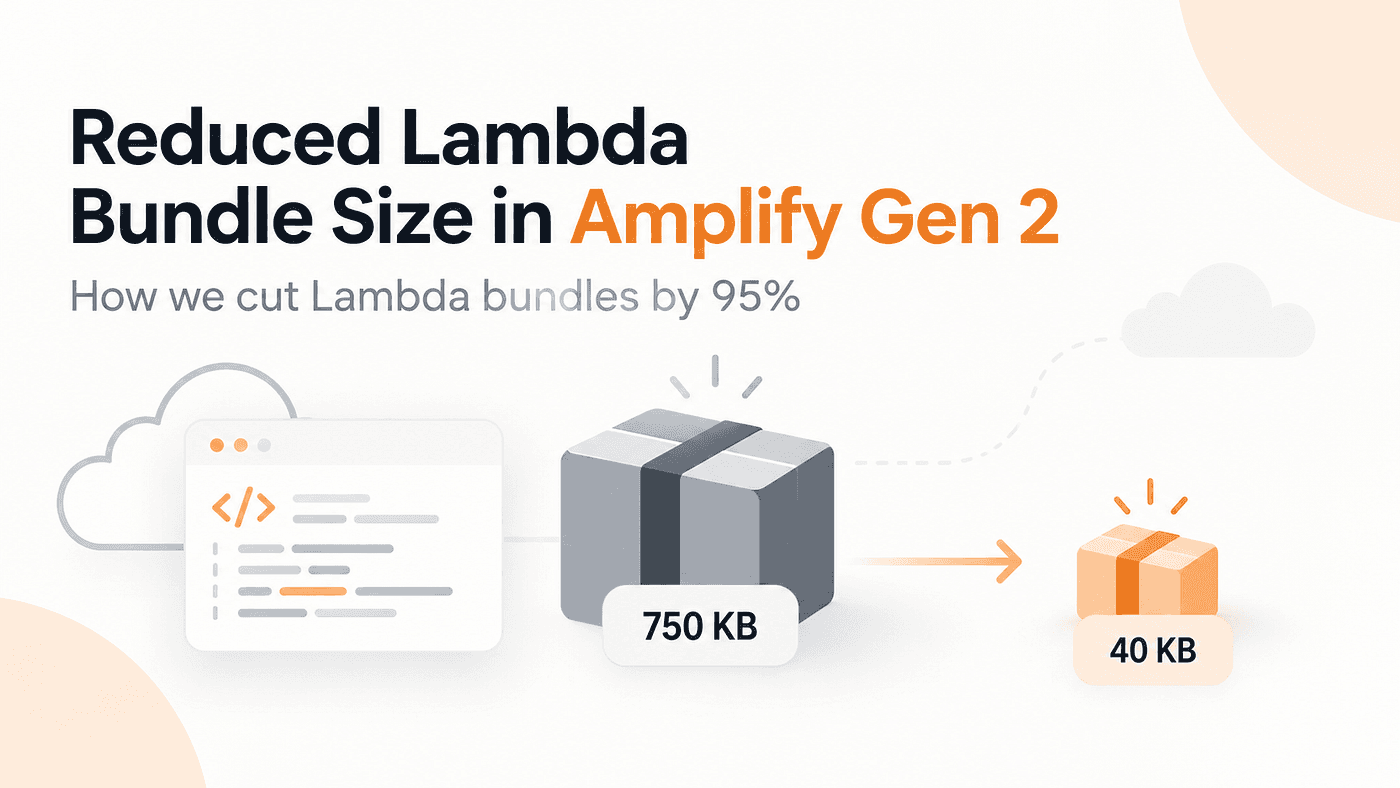
A Lambda that just reads from DynamoDB, talks to a couple of AWS services, and returns a JSON payload should be tiny. So when I noticed some of our functions sitting at around 750 KB in our Amplify Gen 2 project, it felt completely off.
I knew the issue had nothing to do with our business logic, so I decided to dig into the bundle. That’s when I saw what was actually happening: Amplify was bundling heavy AWS packages that the Lambda runtime already provides for free. After cleaning up those redundant dependencies, that exact same function dropped down to 40 KB. That’s a 95% drop in size without changing a single line of what the function actually does.
One Large Bundle Revealed a Bigger Problem
At first, I thought this was probably a problem with one function. But once I started checking other Lambdas, it became clear that the same pattern appeared across the backend.
Most of the handler files contained very little business logic. The extra size came from what they imported: AWS clients, logging packages, shared utilities, types, and in some cases the Amplify Data client. Because our backend had more than 100 functions and Amplify built those functions separately, the same unnecessary dependencies could end up being included again and again across multiple deployment bundles.
That changed the way I looked at the problem. The question was no longer, “Why is this handler 750 KB?” It became, “What is this function actually shipping?”
Why Were We Bundling the AWS SDK Again?
One of the first things I found was imports like this:
import { DynamoDBClient } from '@aws-sdk/client-dynamodb';
There is nothing unusual about that. The problem was what happened during bundling. The package could be pulled into the final Lambda artifact even though supported Node.js Lambda runtimes already include AWS SDK for JavaScript v3.
If you are using CDK’s NodejsFunction, you can normally deal with this through externalModules.
new NodejsFunction(this, 'Fn', {
  bundling: {
    externalModules: [
      '@aws-sdk/client-dynamodb',
    ],
  },
});
That basically tells the bundler not to package the dependency because it will already be available when the function runs. That was the behavior I wanted, but our functions were created through Amplify Gen 2’s defineFunction, where we did not have the same obvious option available.
Externalize AWS SDK Packages with Amplify Gen 2 and CDK
At this point, I already knew what needed to happen. The AWS SDK packages had to stay out of the bundle. The problem was that Amplify Gen 2 didn’t give me the same obvious externalModules option I would normally use with CDK's NodejsFunction.
So I started digging into how Amplify was building the function underneath.
That was when I noticed something useful in the layers configuration. When you define a module there, Amplify also treats that module as external during bundling. In other words, it leaves the package out of the generated Lambda artifact because it assumes the module will be available when the function runs.
A normal layer setup looks like this:
export const myFunction = defineFunction({
  name: 'my-function',
  layers: {
    '@aws-lambda-powertools/logger':
      'arn:aws:lambda:us-east-1:123456789012:layer:my-layer:1',
  },
});
The interesting part wasn’t really the layer itself. It was the module name.
Because @aws-lambda-powertools/logger appears in layers, Amplify doesn't bundle that package into the function. That gave me the workaround I was looking for.
If the same mechanism could be used for AWS SDK packages that were already available in the Lambda runtime, then we wouldn’t need to ship another copy of those packages with every function.
So instead of adding the same configuration again and again, I created a small helper with only the packages we had already verified:
const runtimePackages = [
  '@aws-sdk/client-dynamodb',
  '@aws-sdk/client-s3',
  '@aws-sdk/client-sqs',
  '@aws-sdk/credential-provider-node',
];

export function sdkExternals(): Record<string, string> {
  const arn = process.env.SDK_LAYER_ARN;
  if (!arn) {
    return {};
  }
  return Object.fromEntries(
    runtimePackages.map((name) => [name, arn])
  );
}
Then each function could reuse it like this:
export const myFunction = defineFunction({
  name: 'my-function',
  layers: sdkExternals(),
});
That was the change that finally made the bundle drop.The handler itself didn’t change. The business logic didn’t change. We simply stopped packaging SDK modules that the runtime was already able to provide.
One detail here is important, because it is easy to misunderstand what is happening. The Lambda layer was not actually supplying these AWS SDK packages. The Lambda runtime was. We were only using the layer configuration because Amplify also uses those module names during bundling and leaves them out of the generated package.
So I wouldn’t describe this as the normal way to manage Lambda dependencies. It was a practical workaround for the way our Amplify Gen 2 setup was bundling functions.
I also didn’t want this optimization to become something that could break deployments. If SDK_LAYER_ARN wasn't available, the helper simply returned an empty object:
if (!arn) {
  return {};
}
That meant the function would go back to normal bundling. The package might be larger, but the deployment would still work.
That fallback ended up being important. Bundle size was something we wanted to improve, but it wasn’t worth making deployments fragile just to save a few hundred kilobytes.
The Results
In our original optimization, removing unnecessary SDK dependencies from the bundles produced the following results:
- DynamoDB + logging Lambda: ~750 KB → ~40 KB
- Functions using Amplify Data: ~2 MB → ~900 KB
- Functions optimized: 102 of 105
These measurements came from our original implementation. The same bundle sizes would need to be verified after moving the configuration to CDK’s externalModules.
These results are specific to our project, and bundle size alone does not prove faster cold starts. But one thing was clear: our Lambda deployment packages became significantly smaller.
Making It One Command for Every Developer
The next issue was setup. The helper depended on SDK_LAYER_ARN, and I did not want every developer to manually create a layer, copy the ARN, and add it to their environment before running the sandbox.
So we added a small script that checks whether the carrier layer already exists in the current AWS account and Region. If it does, we reuse it. If not, the script creates it.
// scripts/ensure-sdk-carrier-layer.mjs
import { execFileSync } from 'node:child_process';
import {
  mkdtempSync,
  mkdirSync,
  writeFileSync,
  rmSync,
} from 'node:fs';
import { tmpdir } from 'node:os';
import { join } from 'node:path';

const REGION = process.env.AWS_REGION || 'eu-central-1';
const LAYER_NAME = 'sdk-externalize-carrier';
function aws(args) {
  return execFileSync(
    'aws',
    [...args, '--region', REGION, '--output', 'text'],
    {
      encoding: 'utf8',
      stdio: ['ignore', 'pipe', 'inherit'],
    }
  ).trim();
}
function findExisting() {
  try {
    const arn = aws([
      'lambda',
      'list-layer-versions',
      '--layer-name',
      LAYER_NAME,
      '--query',
      'LayerVersions[0].LayerVersionArn',
    ]);
    return arn && arn !== 'None' ? arn : undefined;
  } catch {
    return undefined;
  }
}
function publish() {
  const dir = mkdtempSync(join(tmpdir(), 'sdk-carrier-'));
  try {
    mkdirSync(join(dir, 'nodejs'));
    writeFileSync(
      join(dir, 'nodejs', 'README.txt'),
      'Intentionally empty.\n'
    );
    execFileSync(
      'zip',
      ['-qr', 'layer.zip', 'nodejs'],
      { cwd: dir }
    );
    return aws([
      'lambda',
      'publish-layer-version',
      '--layer-name',
      LAYER_NAME,
      '--zip-file',
      `fileb://${join(dir, 'layer.zip')}`,
      '--compatible-runtimes',
      'nodejs20.x',
      'nodejs22.x',
      '--query',
      'LayerVersionArn',
    ]);
  } finally {
    rmSync(dir, { recursive: true, force: true });
  }
}
process.stdout.write(findExisting() ?? publish());
Then our sandbox wrapper gets that ARN, exposes it as SDK_LAYER_ARN, and starts Amplify.
// scripts/sandbox.js
const {
  spawn,
  spawnSync,
  execFileSync,
} = require('node:child_process');

const npx =
  process.platform === 'win32'
    ? 'npx.cmd'
    : 'npx';
function ensureSdkLayerArn() {
  if (process.env.SDK_EXTERNALIZE === '0') {
    return undefined;
  }
  try {
    const arn = execFileSync(
      process.execPath,
      ['scripts/ensure-sdk-carrier-layer.mjs'],
      {
        encoding: 'utf8',
        stdio: ['ignore', 'pipe', 'inherit'],
      }
    ).trim();
    return arn || undefined;
  } catch {
    console.warn(
      'Could not ensure carrier layer; deploying without externalization'
    );
    return undefined;
  }
}
const tsc = spawnSync(
  npx,
  [
    'tsc',
    '--noEmit',
    '--project',
    'amplify/tsconfig.json',
  ],
  {
    stdio: 'inherit',
    shell: true,
  }
);
if (tsc.status !== 0) {
  process.exit(tsc.status ?? 1);
}
const env = { ...process.env };
const arn = ensureSdkLayerArn();
if (arn) {
  env.SDK_LAYER_ARN = arn;
}
spawn(
  npx,
  [
    'ampx',
    'sandbox',
    ...process.argv.slice(2),
  ],
  {
    stdio: 'inherit',
    shell: true,
    env,
  }
).on(
  'exit',
  (code) => process.exit(code ?? 1)
);
{
  "scripts": {
    "sandbox": "node scripts/sandbox.js",
    "sdk:layer": "node scripts/ensure-sdk-carrier-layer.mjs"
  }
}
With this setup, developers can just run npm run sandbox . The carrier layer is created once and reused automatically. If we want to compare with normal bundling, we can run SDK_EXTERNALIZE=0 npm run sandbox.
Why We Didn’t Externalize Everything
Once this worked, it was tempting to externalize everything under @aws-sdk/*. We didn't.
The problem is that every externalized dependency becomes something the runtime must provide. If it isn’t there, the function can build and deploy successfully and still fail at runtime with an error like Cannot find package ....
So we only externalized packages we had already verified. Anything uncertain, including packages such as @smithy/*, @aws-sdk/lib-dynamodb, and @aws-sdk/util-dynamodb, stayed in the bundle.
There is also a versioning trade-off. Bundling the SDK gives you control over the exact version, while relying on the Lambda runtime means using the version AWS provides.
Our rule was simple: if we weren’t sure, we bundled it. The goal was to remove unnecessary dependencies without making the function less predictable.
Check What Actually Gets Bundled
The biggest thing I took away from this was that looking at the handler alone does not tell you much about the final deployment artifact. A Lambda can contain very little business logic and still end up with a large bundle because of everything its imports pull in.
The process that worked best for us was simple: inspect the bundle, change one thing, rebuild, and compare again.
inspect → change → rebuild → measure
At the same time, I would not optimize Lambda functions just to chase the smallest possible number. Bundle size alone does not tell you everything about runtime performance. Cold starts, memory, initialization work, and other factors still matter. For us, the real value was finding dependencies that did not need to be shipped with the function and removing them from the bundle.
Review What Your Function Brings With It
The biggest lesson wasn’t that every Lambda should be 40 KB. It was realizing how easy it is to focus on the handler and forget everything that gets bundled with it.
In our case, unnecessary SDK packages were adding much more weight than the actual business logic. So if a Lambda looks larger than expected, start with one function. Check its imports, inspect the generated bundle, make one change, and measure again.
Sometimes the problem isn’t how much code you wrote. It’s how much code you accidentally shipped with it.
Have you ever found an unexpected dependency hiding inside a Lambda bundle?