Everything feels simple when an AWS AppSync JavaScript resolver works with a single DynamoDB table. But real requirements can quickly make things more complicated. You may need to fetch products and customers in the same request, create multiple records in one operation, or place an order while updating inventory at the same time. The first instinct is often to introduce a Lambda function or split the logic across multiple resolver steps. In many cases, neither is necessary.
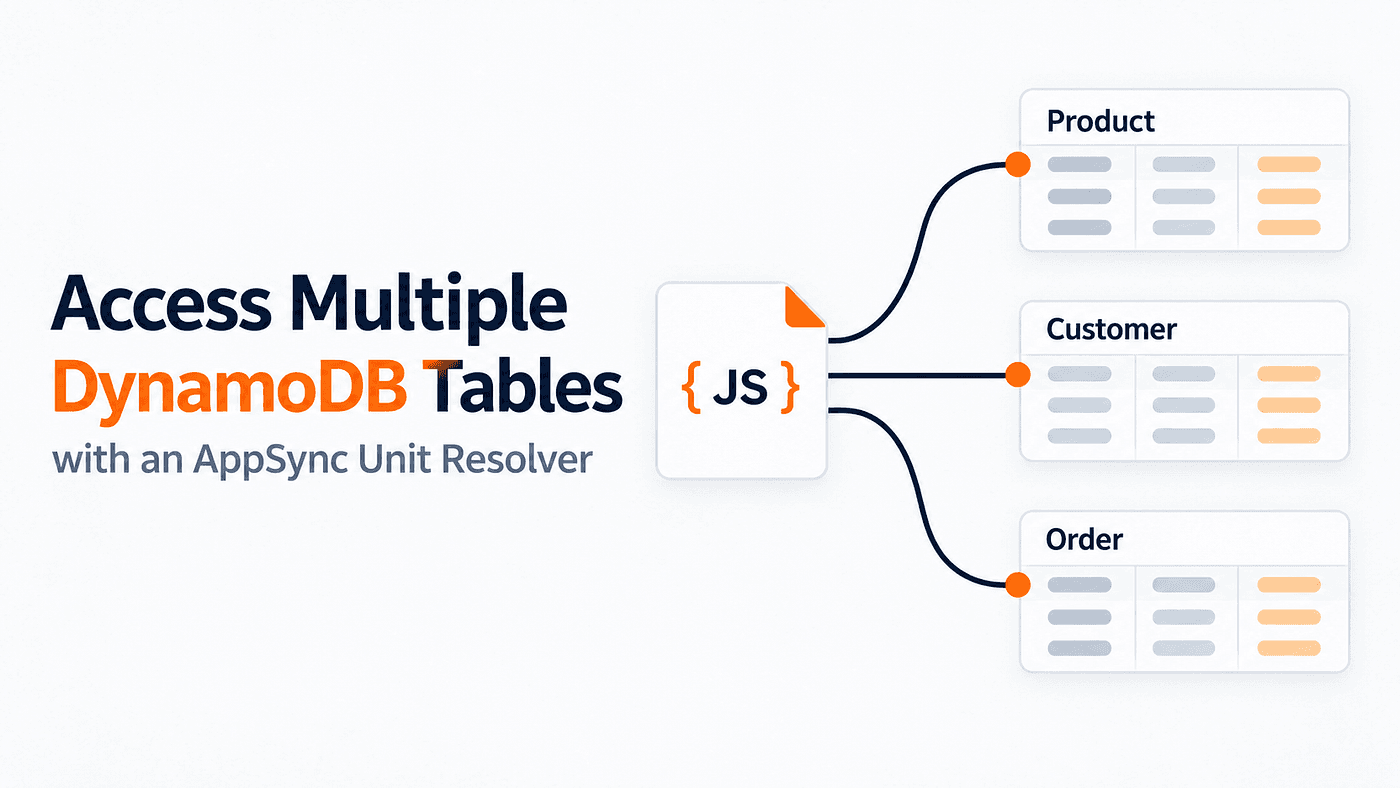
A unit resolver makes only one call to its data source, but that does not mean it can work with only one DynamoDB table. If the resolver returns a batch or transaction request, that request can include multiple table names. AppSync can then read from several tables or commit related writes together without requiring a Lambda function.
In this article, we’ll build this pattern using AWS Amplify Gen 2 and the **APPSYNC_JS runtime**. We’ll configure the required permissions, resolve Amplify-generated table names, read from two tables with BatchGetItem, and write across three tables with TransactWriteItems.
How a Unit Resolver Accesses Multiple Tables
What matters here is the request object the resolver sends to DynamoDB. Inside the request handler, you define the DynamoDB operation together with the physical table names, keys, conditions, and any other required parameters.
The resolver may be attached to the Product data source, but that connection alone does not grant access to the other tables. The data source’s IAM role controls what AppSync can access. If the request includes the Product, Customer, and Order tables, the role needs the required permissions for all three.
After DynamoDB completes the operation, the response handler receives the result and converts it into the shape expected by the GraphQL operation. That result may contain the requested records, keys that DynamoDB could not process, or details explaining why a transaction was cancelled.
In practice, three pieces need to work together:
- The DynamoDB batch or transaction request
- The physical names of the tables included in the request
- IAM permission for the AppSync data source to access those tables
We’ll put these pieces together by building two custom operations with Amplify Gen 2:
getCommerceRecordsusesBatchGetItemto retrieve records from theProductandCustomertables in one request.placeOrderusesTransactWriteItemsto verify a customer, reduce product stock, and create an order across three tables.
1. Define the Models and Custom Operations
Start in amplify/data/resource.ts.
For this example, we need three DynamoDB-backed models: Product, Customer, and Order. We will also define two custom GraphQL operations. getCommerceRecords retrieves products and customers in one request, while placeOrder checks the customer, updates the product stock, and creates an order.
import {
  a,
  defineData,
  type ClientSchema,
} from '@aws-amplify/backend';

const schema = a.schema({

  Product: a
    .model({
      name: a.string().required(),
      price: a.float().required(),
      stock: a.integer().required(),
    })
    .authorization((allow) => [
      allow.authenticated(),
    ]),

  Customer: a
    .model({
      email: a.email().required(),
      displayName: a.string().required(),
    })
    .authorization((allow) => [
      allow.authenticated(),
    ]),

  Order: a
    .model({
      customerId: a.id().required(),
      productId: a.id().required(),
      quantity: a.integer().required(),
      status: a.string().required(),
    })
    .authorization((allow) => [
      allow.authenticated(),
    ]),

  CommerceBatchResult: a.customType({
    products: a.ref('Product').array(),
    customers: a.ref('Customer').array(),
    unprocessedKeys: a.json(),
  }),

  PlaceOrderResult: a.customType({
    committed: a.boolean().required(),
    orderId: a.id().required(),
    productId: a.id().required(),
  }),

  getCommerceRecords: a
    .query()
    .arguments({
      productIds: a.id().array(),
      customerIds: a.id().array(),
    })
    .returns(a.ref('CommerceBatchResult'))
    .authorization((allow) => [
      allow.authenticated(),
    ])
    .handler(
      a.handler.custom({
        dataSource: a.ref('Product'),
        entry: './resolvers/get-commerce-records.js',
      })
    ),

  placeOrder: a
    .mutation()
    .arguments({
      orderId: a.id().required(),
      customerId: a.id().required(),
      productId: a.id().required(),
      quantity: a.integer().required(),
    })
    .returns(a.ref('PlaceOrderResult'))
    .authorization((allow) => [
      allow.authenticated(),
    ])
    .handler(
      a.handler.custom({
        dataSource: a.ref('Product'),
        entry: './resolvers/place-order.js',
      })
    ),
});
export type Schema = ClientSchema<typeof schema>;
export const data = defineData({
  schema,
});
Both operations are attached to the generated Product data source using a.ref('Product'). An AppSync unit resolver must be connected to a data source, so the Product data source provides that connection to DynamoDB.
However, attaching the resolver to Product does not restrict it to the Product table. The resolver can include other physical table names in its DynamoDB request. To make that work, the IAM role used by the Product data source must also have permission to access the Customer and Order tables.
2. Grant the Data Source Access to Multiple Tables
Our custom resolvers use the generated Product data source. By default, its IAM role is configured to work with the Product table, so it cannot automatically access the Customer and Order tables.
To provide this access, create a new AppSync role in amplify/backend.ts. Give it the required DynamoDB permissions and assign it to the generated ProductTable data source.
import { defineBackend } from '@aws-amplify/backend';
import {
  PolicyStatement,
  Role,
  ServicePrincipal,
} from 'aws-cdk-lib/aws-iam';

import { auth } from './auth/resource';
import { data } from './data/resource';
const backend = defineBackend({
  auth,
  data,
});
const appsyncResolverRole = new Role(
  backend.data.stack,
  'AppSyncResolverRole',
  {
    assumedBy: new ServicePrincipal(
      'appsync.amazonaws.com'
    ),
  }
);
appsyncResolverRole.addToPolicy(
  new PolicyStatement({
    actions: [
      'dynamodb:GetItem',
      'dynamodb:PutItem',
      'dynamodb:UpdateItem',
      'dynamodb:DeleteItem',
      'dynamodb:Query',
      'dynamodb:Scan',
      'dynamodb:BatchGetItem',
      'dynamodb:BatchWriteItem',
      'dynamodb:ConditionCheckItem',
    ],
    resources: ['*'],
  })
);
const productCfnDataSource =
  backend.data.resources.cfnResources.cfnDataSources[
    'ProductTable'
  ];
productCfnDataSource.serviceRoleArn =
  appsyncResolverRole.roleArn;
Setting serviceRoleArn replaces the existing role. Therefore, the new role must include permissions for both the custom resolvers and the generated Product queries and mutations.
This example uses resources: ['*'] for simplicity. In production, you can limit access to the Product, Customer, and Order table ARNs.
3. Read from Two Tables with BatchGetItem
Create the following resolver:
amplify/data/resolvers/get-commerce-records.js
The request must include the physical names of the DynamoDB tables. Amplify-generated tables follow this format:
<ModelName>-<awsAppsyncApiId>-<amplifyApiEnvironmentName>
Amplify provides the API ID and environment name through ctx.stash. The resolver can use those values to build the table names at runtime.
import {
  runtime,
  util,
} from '@aws-appsync/utils';

function tableName(modelName, ctx) {
  return `${modelName}-${ctx.stash.awsAppsyncApiId}-${ctx.stash.amplifyApiEnvironmentName}`;
}
function unique(values) {
  const result = [];
  for (const value of values) {
    if (result.indexOf(value) === -1) {
      result.push(value);
    }
  }
  return result;
}
export function request(ctx) {
  const productIds = unique(
    ctx.args.productIds ?? []
  );
  const customerIds = unique(
    ctx.args.customerIds ?? []
  );
  const totalKeys =
    productIds.length + customerIds.length;
  if (totalKeys === 0) {
    runtime.earlyReturn({
      products: [],
      customers: [],
      unprocessedKeys: {},
    });
  }
  if (totalKeys > 100) {
    util.error(
      'BatchGetItem accepts at most 100 keys across all tables.',
      'ValidationError'
    );
  }
  const productTable = tableName(
    'Product',
    ctx
  );
  const customerTable = tableName(
    'Customer',
    ctx
  );
  ctx.stash.productTable = productTable;
  ctx.stash.customerTable = customerTable;
  const tables = {};
  if (productIds.length > 0) {
    tables[productTable] = {
      keys: productIds.map((id) =>
        util.dynamodb.toMapValues({
          id,
        })
      ),
      consistentRead: false,
    };
  }
  if (customerIds.length > 0) {
    tables[customerTable] = {
      keys: customerIds.map((id) =>
        util.dynamodb.toMapValues({
          id,
        })
      ),
      consistentRead: false,
    };
  }
  return {
    operation: 'BatchGetItem',
    tables,
  };
}
export function response(ctx) {
  if (ctx.error) {
    util.error(
      ctx.error.message,
      ctx.error.type
    );
  }
  const data = ctx.result.data ?? {};
  return {
    products: (
      data[ctx.stash.productTable] ?? []
    ).filter((item) => item !== null),
    customers: (
      data[ctx.stash.customerTable] ?? []
    ).filter((item) => item !== null),
    unprocessedKeys:
      ctx.result.unprocessedKeys ?? {},
  };
}
The tables object maps each physical table name to the keys DynamoDB should retrieve. This allows one BatchGetItem request to read from both Product and Customer while remaining a unit resolver.
The resolver removes duplicate IDs, handles empty input, and enforces the 100-key limit. It uses ctx.stash to map each result to the correct response field and returns any unprocessed keys so the client can retry them.
4. Write to Three Tables with TransactWriteItems
Create the transactional resolver:
amplify/data/resolvers/place-order.js
The resolver performs three related actions in one request. It confirms that the customer exists, reduces the available product stock, and creates the order.
import { util } from '@aws-appsync/utils';

function tableName(modelName, ctx) {
  return `${modelName}-${ctx.stash.awsAppsyncApiId}-${ctx.stash.amplifyApiEnvironmentName}`;
}
export function request(ctx) {
  const {
    orderId,
    customerId,
    productId,
    quantity,
  } = ctx.args;
  if (quantity < 1) {
    util.error(
      'Quantity must be greater than zero.',
      'ValidationError'
    );
  }
  const now = util.time.nowISO8601();
  const customerTable = tableName(
    'Customer',
    ctx
  );
  const productTable = tableName(
    'Product',
    ctx
  );
  const orderTable = tableName(
    'Order',
    ctx
  );
  ctx.stash.placeOrderResult = {
    committed: true,
    orderId,
    productId,
  };
  return {
    operation: 'TransactWriteItems',
    transactItems: [
      {
        table: customerTable,
        operation: 'ConditionCheck',
        key: util.dynamodb.toMapValues({
          id: customerId,
        }),
        condition: {
          expression:
            'attribute_exists(#id)',
          expressionNames: {
            '#id': 'id',
          },
          returnValuesOnConditionCheckFailure:
            false,
        },
      },
      {
        table: productTable,
        operation: 'UpdateItem',
        key: util.dynamodb.toMapValues({
          id: productId,
        }),
        update: {
          expression:
            'SET #stock = #stock - :quantity, #updatedAt = :updatedAt',
          expressionNames: {
            '#stock': 'stock',
            '#updatedAt': 'updatedAt',
          },
          expressionValues:
            util.dynamodb.toMapValues({
              ':quantity': quantity,
              ':updatedAt': now,
            }),
        },
        condition: {
          expression:
            'attribute_exists(#id) AND #stock >= :requiredQuantity',
          expressionNames: {
            '#id': 'id',
            '#stock': 'stock',
          },
          expressionValues:
            util.dynamodb.toMapValues({
              ':requiredQuantity': quantity,
            }),
          returnValuesOnConditionCheckFailure:
            false,
        },
      },
      {
        table: orderTable,
        operation: 'PutItem',
        key: util.dynamodb.toMapValues({
          id: orderId,
        }),
        attributeValues:
          util.dynamodb.toMapValues({
            customerId,
            productId,
            quantity,
            status: 'PENDING',
            createdAt: now,
            updatedAt: now,
          }),
        condition: {
          expression:
            'attribute_not_exists(#id)',
          expressionNames: {
            '#id': 'id',
          },
          returnValuesOnConditionCheckFailure:
            false,
        },
      },
    ],
  };
}
export function response(ctx) {
  if (ctx.error) {
    const cancellationReasons =
      ctx.result?.cancellationReasons ?? [];
    console.log(
      `Transaction cancelled: ${JSON.stringify(
        cancellationReasons
      )}`
    );
    util.error(
      'The order could not be completed.',
      ctx.error.type
    );
  }
  return ctx.stash.placeOrderResult;
}
Each action in transactItems specifies its table, allowing one request to check the customer, update the product stock, and create the order. DynamoDB applies all three actions together, or none of them if a condition fails.
The success response is stored in ctx.stash because TransactWriteItems does not return the complete updated records. If the transaction fails, the cancellation reason is logged while the client receives a safe error message.
The data-source role requires ConditionCheckItem for Customer, UpdateItem for Product, and PutItem for Order.
Multi-Table Unit Resolver Checklist
Before deploying a unit resolver that accesses multiple DynamoDB tables, check the following:
- The resolver returns one supported multi-table operation, such as
BatchGetItemorTransactWriteItems. - Each target table is identified inside
tablesortransactItems. - Amplify-generated table names are built from
ctx.stashinstead of being hard-coded. - The data-source IAM role has permission to perform every required action on each table.
- The response handler manages unprocessed batch keys and transaction failures correctly.
Final Takeaway
An AppSync unit resolver makes one data-source invocation, but it is not limited to one DynamoDB table. If that invocation is a BatchGetItem or TransactWriteItems request, it can name multiple tables directly.
The implementation requires three things: the correct physical table names, IAM access to every table, and a correctly structured multi-table request. This makes it possible to handle many multi-table operations without adding a Lambda function or pipeline resolver.