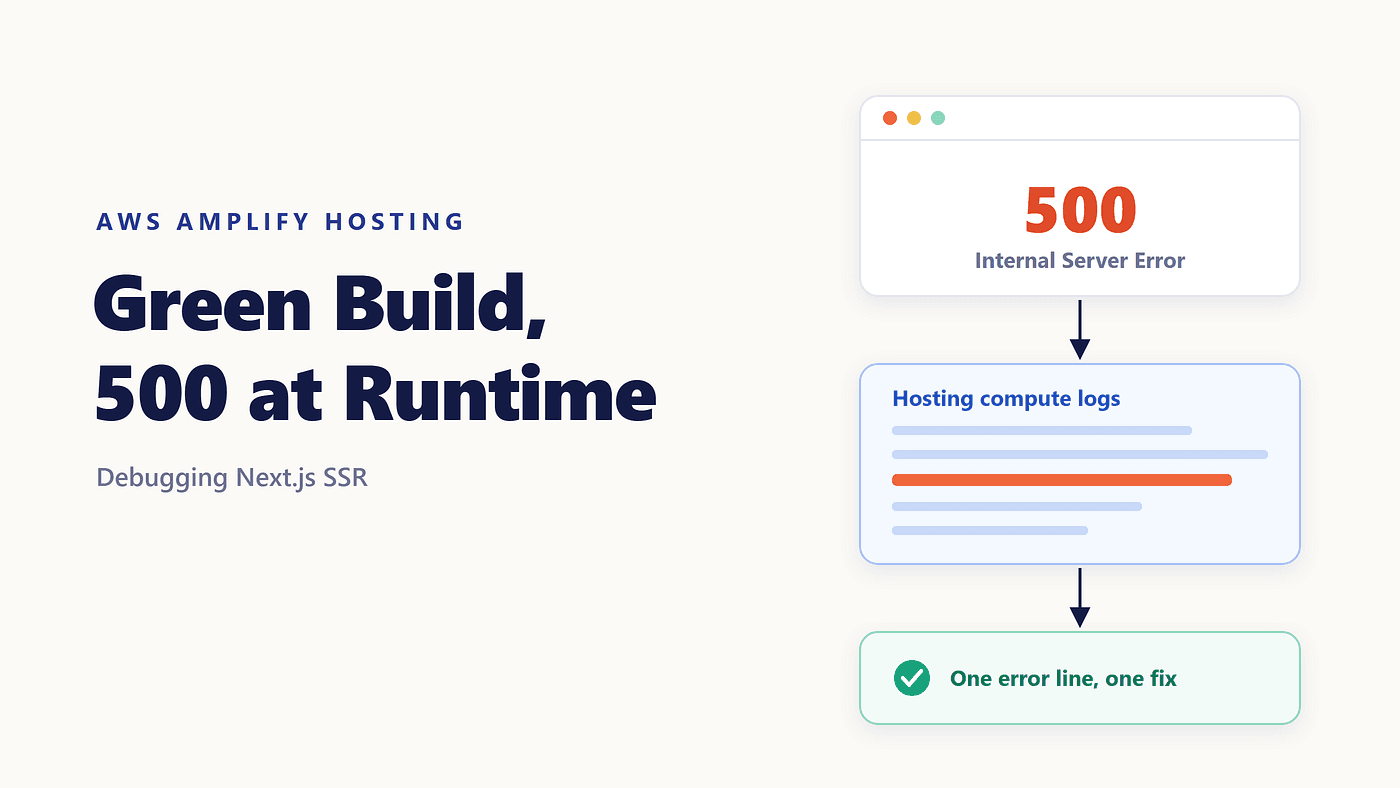
The build went green. Every step passed, the deployment finished, and the branch URL opened to a blank page with 500 | Internal Server Error. The home page worked. Every route that rendered per request did not.
That combination confuses people, and it should. A build that succeeds proves your code compiles. It proves nothing about the machine that runs the code afterward, because the build container and Amplify’s SSR compute are two different environments with different variables, a different filesystem, and different permissions.
Here is how I work through an Amplify Next.js 500 error, starting with the only step that actually saves time.
Read the Log Before You Change Anything
The temptation is to start editing next.config.js and redeploying. Each round trip costs you a build, and you learn almost nothing from it.
Amplify sends information about your SSR runtime to Amazon CloudWatch Logs in your AWS account. In the Amplify console, open Monitoring, then Hosting compute logs, and select the log group for the branch you deployed. The stack trace that Next.js printed when the request failed is in there, and it usually names the file and the line.
Two things are worth knowing before you go looking. Next.js apps are detected and enabled for logging automatically, but an app deployed through a framework adapter needs Enable SSR app logs turned on in the Advanced settings of the SSR deployment section. And if the log group is empty, the problem may be permissions rather than silence: the app’s IAM service role needs logs:CreateLogStream, logs:CreateLogGroup, logs:DescribeLogGroups and logs:PutLogEvents. A role that Amplify creates for you already has them.
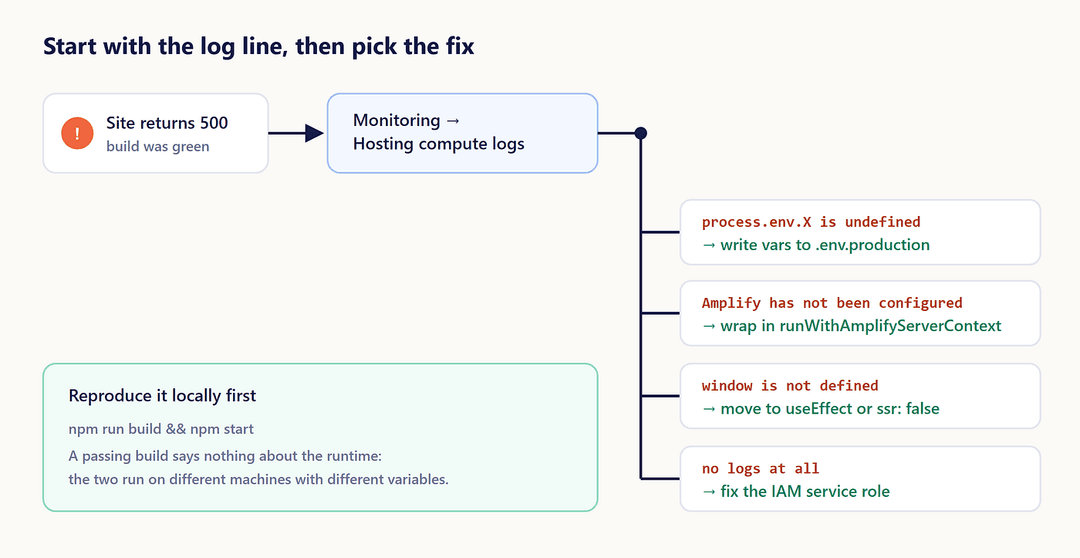
One error line usually points to one fix.
While the log loads, run npm run build && npm start locally. Production mode catches a surprising share of these failures on your own machine, where the feedback loop is seconds instead of minutes.
The Server Is Reading Configuration That Isn’t There
If the trace shows undefined where a URL should be, a fetch failed, or a database client constructed with empty options, the server is missing its configuration.
Variables you set in the Amplify console reach the build container. They do not reach SSR compute unless you pass them across deliberately, by writing them into .env.production during the build. That is the whole of article 1.1 in this series, so I won't repeat it here.
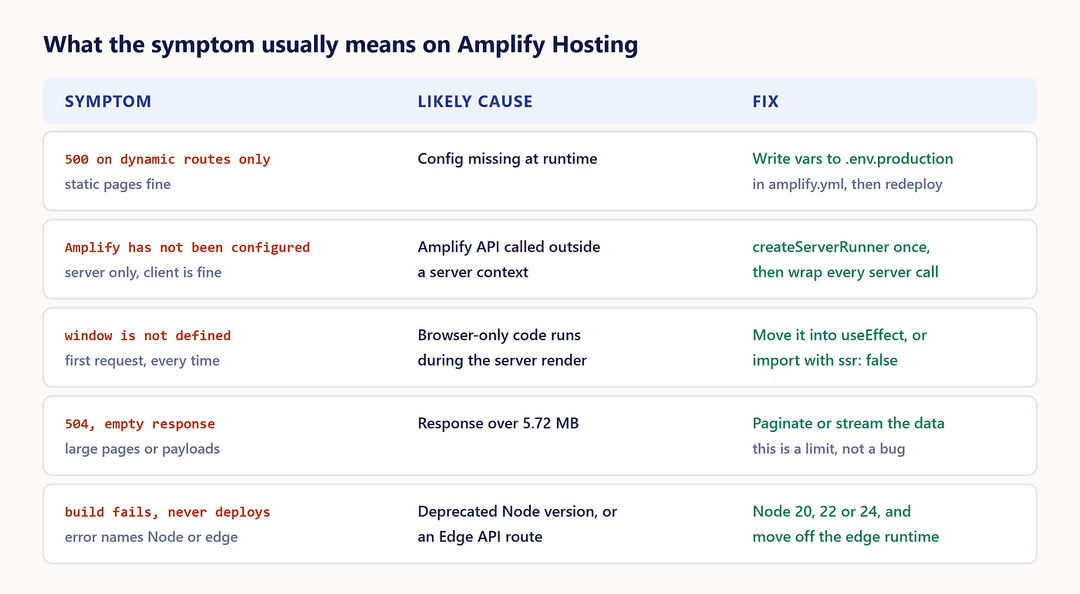
The quick tell: static pages render, and only the dynamic ones break.
Amplify APIs Called Without a Server Context
This one is specific to Gen 2, and it is the most common Amplify SSR internal server error I see in real projects.
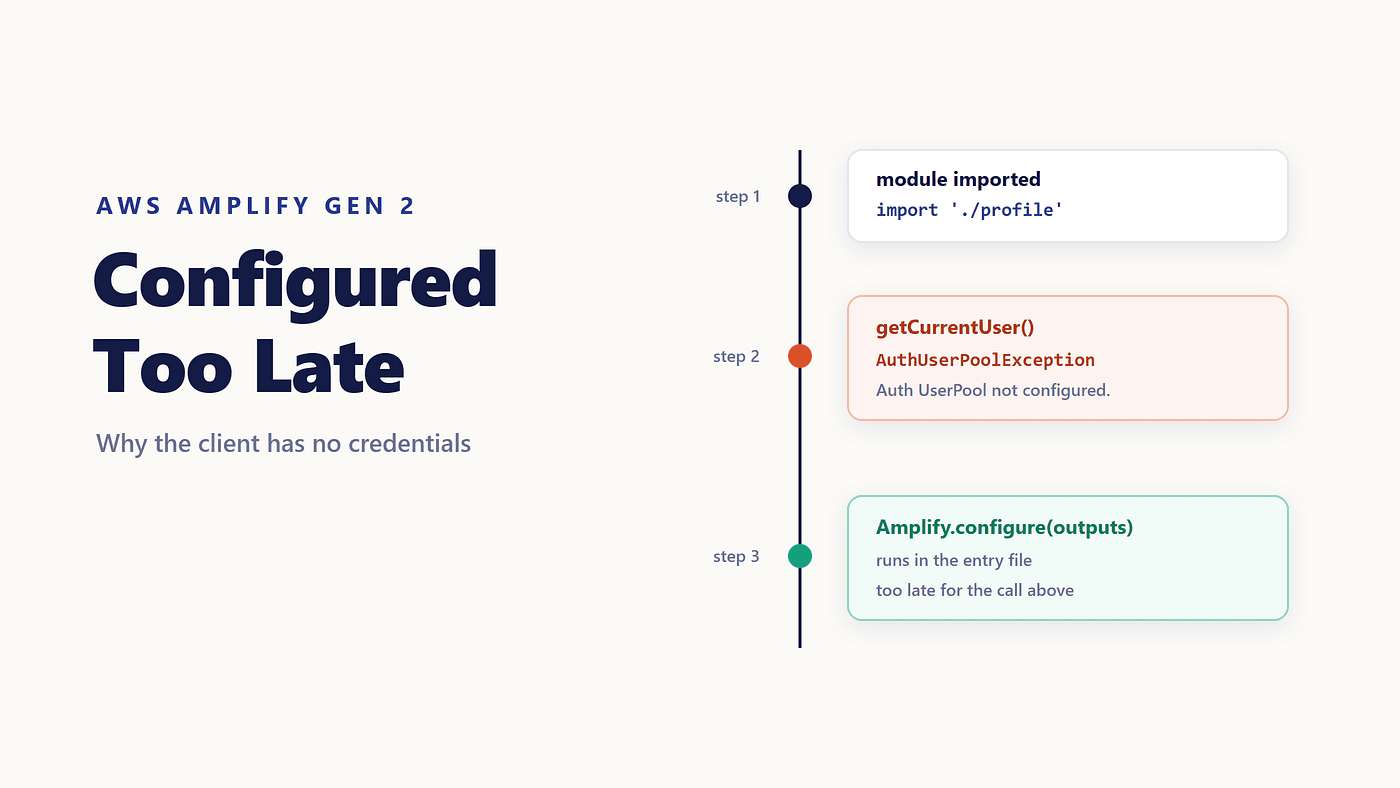
The client-side pattern is familiar. You call Amplify.configure() once, then call getCurrentUser() anywhere. On the server, that call has nowhere to read configuration or cookies from, so it throws, and Next.js turns the exception into a 500.
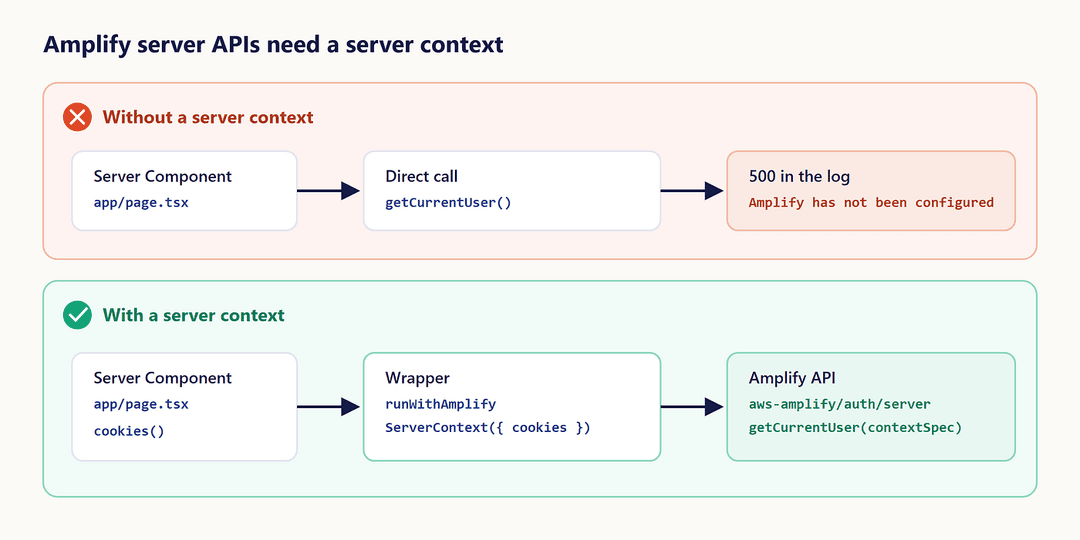
The fix is the Next.js adapter. Install it alongside the core library:
npm add aws-amplify @aws-amplify/adapter-nextjs
Create the runner once, in a file you import everywhere:
// src/utils/amplifyServerUtils.ts
import { createServerRunner } from '@aws-amplify/adapter-nextjs';
import outputs from '@/amplify_outputs.json';
export const { runWithAmplifyServerContext } = createServerRunner({
  config: outputs,
});
Then wrap every server-side Amplify call, importing the API from its /server subpath:
// app/page.tsx
import { cookies } from 'next/headers';
import { getCurrentUser } from 'aws-amplify/auth/server';
import { runWithAmplifyServerContext } from '@/utils/amplifyServerUtils';
export default async function Page() {
  const user = await runWithAmplifyServerContext({
    nextServerContext: { cookies },
    operation: (contextSpec) => getCurrentUser(contextSpec),
  });
  return <p>Hello {user.username}</p>;
}
Passing { cookies } is what lets Amplify read the signed-in user's tokens. For a page that renders for guests, pass null instead. One version detail matters here: Amplify JS v6 supports Next.js >=13.5.0 <16.0.0, so a jump to Next.js 16 will break the adapter before it breaks anything else.
Browser-Only Code Running During the Server Render
window is not defined and localStorage is not defined means some module touched a browser API while the page was rendering on the server.
Marking the component 'use client' does not stop this. Client components are prerendered on the server by default; the directive controls hydration and interactivity, not where the first render happens. Two fixes actually work. Move the access into useEffect, which only runs in the browser. Or skip prerendering for that component with ssr: false:
'use client';
import dynamic from 'next/dynamic';
const Chart = dynamic(() => import('./Chart'), { ssr: false });
Note the 'use client' on that file. ssr: false is not supported in Server Components, and Next.js fails the build with "ssr: false is not allowed with next/dynamic in Server Components", so the dynamic import has to live in a client component.
Libraries that read window at import time are the usual culprits, which is why the trace often points at a dependency instead of your own code.
The App Uses Something Amplify’s Compute Doesn’t Run
A few Next.js features are simply not available on Amplify Hosting, and the failures they cause look like application bugs.
Edge API routes are not supported, so you need the non-edge runtime for APIs and middleware. On-demand Incremental Static Regeneration is not supported either, so a page that revalidates through revalidatePath will not behave the way it does locally. Node.js 14, 16, and 18 runtimes are gone, with 20, 22, and 24 supported, and a build on a deprecated version now stops with a clear message instead of deploying something broken. Amplify deploys new SSR apps with support for Next.js 12 through 15.
Two limits nearby are worth separating from a 500, because chasing the wrong error wastes an afternoon. A response larger than 5.72 MB comes back as a 504 with no content. Build output over 220 MB fails the build outright.
One myth deserves a note. You do not need output: 'standalone' in next.config.js for Amplify. The AWS docs use that setting in one place only, to measure a compute app's start-up time locally. Amplify expects the build output in .next, which is what next build produces on its own.
When the Trace Doesn’t Name Your Code
Sometimes the log gives you a stack that lives entirely inside node_modules, or a single line with no context at all. Narrow it by hand.
Start by finding out which routes fail. If / is fine and /dashboard is not, whatever /dashboard does that the home page doesn't is your suspect list: an authenticated call, a database read, a third-party SDK. Then deploy a route handler that does nothing but confirm the runtime is healthy:
// app/api/health/route.ts
export const dynamic = 'force-dynamic';
export async function GET() {
  return Response.json({ ok: true, node: process.version });
}
If that route answers, the runtime is fine, and the failure is in your page’s own work. If it returns a 500 too, the problem sits earlier, in configuration or in a module that runs on import.
From there, wrap the suspect call in a try/catch and log the error before rethrowing it. One deployment with a deliberate log line beats four deployments of guesses, and the extra line comes out with the fix.
Before You Redeploy
- Open the Amplify Hosting compute logs and find the actual stack trace.
- Reproduce with
npm run build && npm startbefore changing configuration. - Confirm the server can see the configuration it needs at request time.
- Wrap every server-side Amplify call in
runWithAmplifyServerContext. - Check the Node.js version and that nothing is pinned to the edge runtime.
Conclusion
A 500 after a green build is the runtime telling you it disagrees with the build about something: a variable, a context, a browser global, a feature it cannot run. None of that is visible from the build log, which is why the first fix is never in your editor. It is in the compute log, and it is usually one line long.
Next in this series: single-page apps that return 404 when you refresh the page.