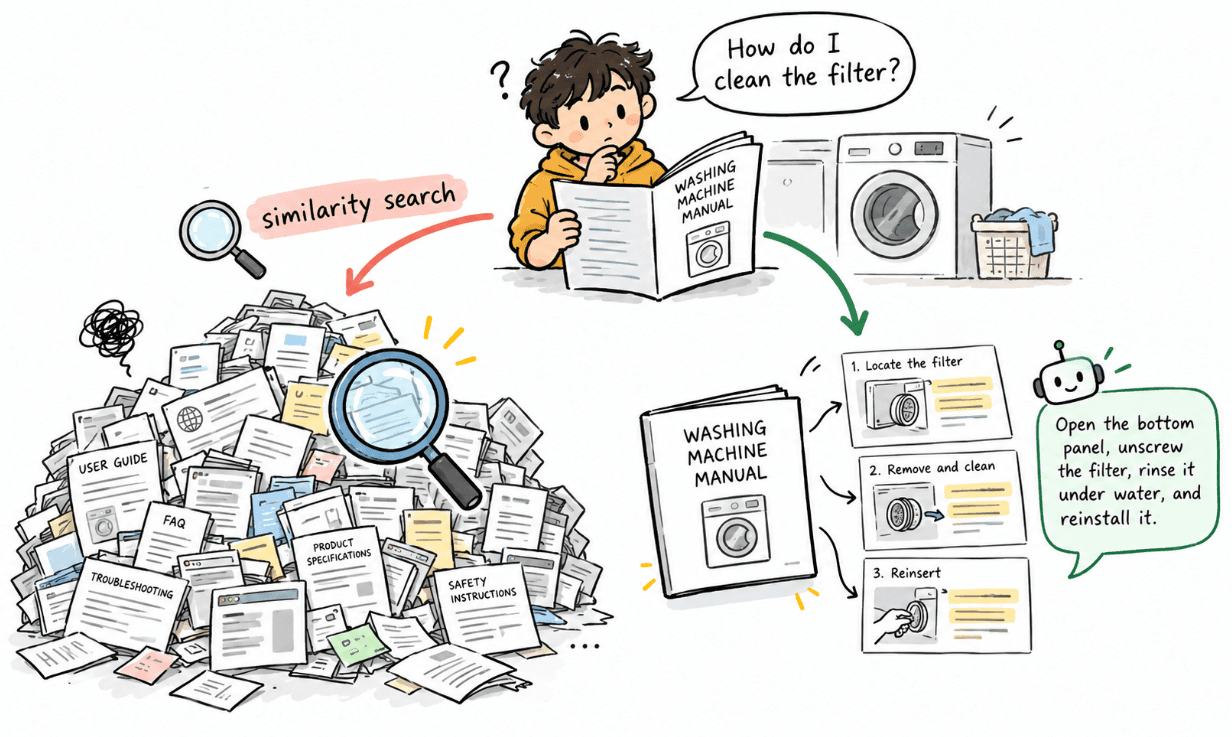
Semantic search is one of the most useful parts of RAG. A user does not need to ask a question using the exact same words that appear in a document. The system can understand the meaning of the question and find content that talks about a similar idea.
But similar content is not always the content we actually want.
Imagine an online store with a knowledge base containing information about products, shipping, warranties, returns, payments, and customer accounts. A customer asks whether they can return a damaged item after 30 days. Several documents may contain information about damaged products, refunds, warranties, or time limits. They can all look relevant to semantic search, even though only some of them are useful for answering the question.
This is where metadata filtering can help. But before using a filter, there is one important question to answer.
How do we know which metadata value to filter by?
Where Does the Filter Come From?
Sometimes the application already knows the answer. Imagine the customer is currently on the Returns Help page and asks this question.
“Can I return a damaged item after 30 days?”
The application already knows that the current section is related to returns. In that case, there is no need for another AI call to discover the category. We can simply use the context we already have.
User Question +Known Application Context
      ↓
category = returns
      ↓
Vector Search
The same idea can apply to information such as a selected product, region, language, or section of an application.
But not every RAG system has that context. Imagine a general chatbot where the customer simply opens the chat and asks the same question. Now we only have the user’s words. The system does not automatically know that the correct metadata category is returns.
For a small or focused knowledge base, this may not be a problem at all. We can simply perform semantic search without a category filter and let the vector search find the most relevant content.
User Question
      ↓
Query Embedding
      ↓
Vector Search
      ↓
Relevant Results
As the knowledge base becomes larger, similar topics may begin to overlap more often. Returns, warranties, refunds, and damaged-product information are good examples.
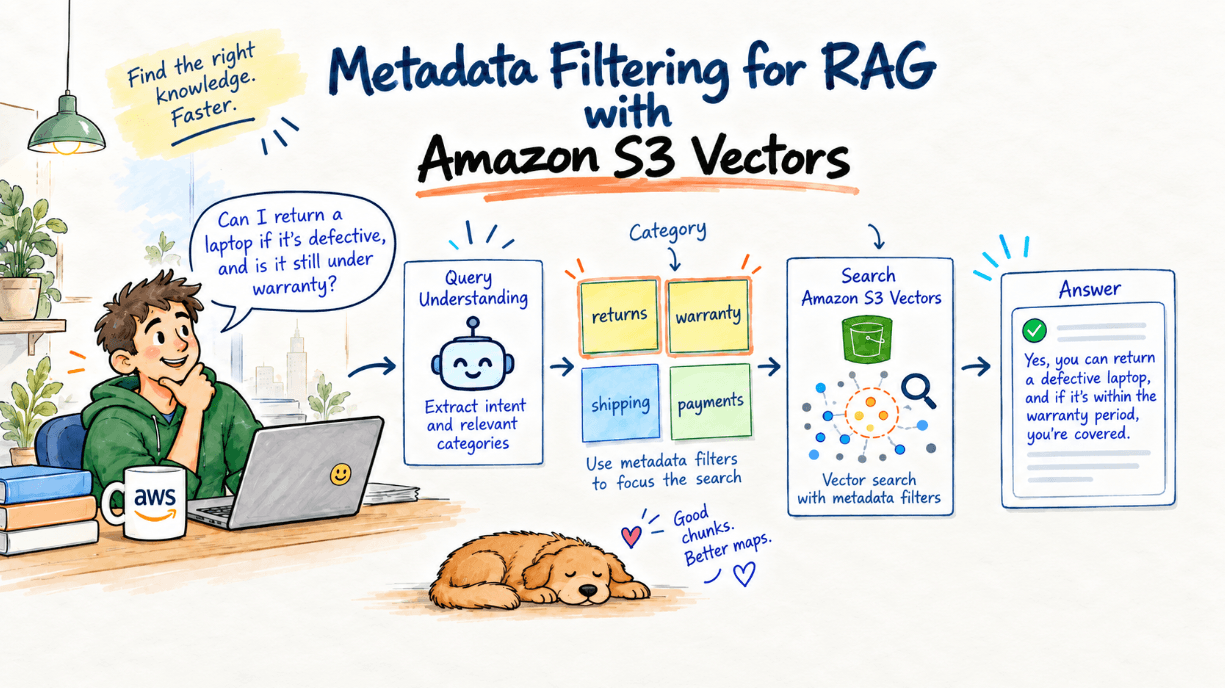
In that situation, we can add a small query understanding or classification step before retrieval. The system already knows the categories used in the knowledge base, such as returns, warranty, shipping, and payments. A small model, rules, or an LLM can decide which of those categories are likely to match the question.
User Question
      ↓
Query Understanding
      ↓
returns
      ↓
Vector Search
      ↓
category = returns
This does add another operation, which means some additional cost and latency. So it does not make sense to add it to every RAG application just because metadata filtering is available.
If semantic search already works well, keeping the retrieval flow simple can be the better choice.
There is also another important point. If the system is not confident about the category, it should not always force one. A damaged item could involve both returns and warranties. In that case, we could search both categories or simply avoid the category filter.
A wrong filter can hide the document that contains the correct answer. The goal is not to filter every query. The goal is to use metadata when we have a reliable reason to do so.
Adding Metadata to the Vectors
For metadata filtering to work, the information first needs to be stored with our vectors.
A chunk from the Return Policy could contain metadata like this.
{
  "document_name": "Return Policy",
  "category": "returns",
  "region": "us",
  "status": "active",
  "chunk_text": "Damaged products can be returned within the allowed return period."
}
The embedding and metadata have different purposes. The embedding represents the meaning of the text. It helps the system understand that phrases such as “send an item back” and “return a product” are related.
Metadata tells us more about where that information belongs. In this example, the content belongs to the returns category, applies to the US region, and comes from an active document.
Filtering the Search
Without metadata filtering, a normal Amazon S3 Vectors query might look like this.
const result = await s3Vectors.send(
  new QueryVectorsCommand({
    vectorBucketName: "rag-demo-vectors",
    indexName: "store-knowledge",
    queryVector: {
      float32: queryEmbedding,
    },
    topK: 5,
    returnMetadata: true,
    returnDistance: true,
  })
);
This searches for the closest vectors across the index.
If we reliably know that the search should focus on returns, we can include that condition directly in the query.
const result = await s3Vectors.send(
  new QueryVectorsCommand({
    vectorBucketName: "rag-demo-vectors",
    indexName: "store-knowledge",
    queryVector: {
      float32: queryEmbedding,
    },
    topK: 5,
    filter: {
      category: "returns",
    },
    returnMetadata: true,
    returnDistance: true,
  })
);
Now the search uses both pieces of information.
(Meaning of the Question + category = returns)
        ↓
Amazon S3 Vectors
        ↓
Relevant Return Information
Amazon S3 Vectors evaluates metadata conditions together with similarity search. This means it looks for similar vectors that also match the filter instead of first selecting the nearest results and removing unwanted ones afterward.
This can be useful when a knowledge base contains many related topics.
Filterable and Non-Filterable Metadata
Not every piece of metadata needs to be searchable.
Fields such as category, region, and status are useful as filters because we may want to narrow retrieval using them.
{
  "category": "returns",
  "region": "us",
  "status": "active"
}
In Amazon S3 Vectors, metadata is filterable by default unless we explicitly configure a key as non-filterable when creating the index.
The original chunk text is a good example of information that normally does not need to be filterable.
{
  "chunk_text": "Damaged products can be returned within the allowed return period."
}
We want this text to come back after the vector is found because it can become part of the context provided to the LLM. But we normally do not need to search by the exact chunk text.
We can therefore configure it as non-filterable.
metadataConfiguration: {
  nonFilterableMetadataKeys: ["chunk_text"],
}
The text can still be returned with the query result when metadata is requested. It simply cannot be used as a filter. AWS also describes large text chunks and similar contextual information as good use cases for non-filterable metadata.
A simple way to remember the difference is that filterable metadata helps narrow the search, while non-filterable metadata carries information we want back after the search.
Using More Than One Condition
Sometimes when get results, one condition is enough. Other times we may know more about the search.
For example, we might want only active return information for the US.
filter: {
  $and: [
    {
      category: {
        $eq: "returns",
      },
    },
    {
      region: {
        $eq: "us",
      },
    },
    {
      status: {
        $eq: "active",
      },
    },
  ],
}
If a question could belong to both returns and warranties, we can use $in.
filter: {
  category: {
    $in: ["returns", "warranty"],
  },
}
Amazon S3 Vectors also supports operators such as $or and $exists, along with several comparison operators.
We do not need complicated filters for every search. In many RAG applications, one or two useful conditions are enough.
Think About Metadata Early
Metadata becomes much easier to use when we think about it during document ingestion.
For our store example, a simple structure may already be enough.
{
  "document_name": "Return Policy",
  "category": "returns",
  "region": "us",
  "status": "active",
  "chunk_text": "..."
}
There is no need to attach every possible detail to every vector. It is better to ask whether a field could genuinely help retrieval later. If it will not help narrow the search, it probably does not need to be filterable.
Similarity and Metadata Work Together
Metadata filtering does not replace semantic search. Semantic search helps us understand the meaning of the user’s question. Metadata gives that search a useful boundary when we know something more about where the answer should come from.
User Question
      ↓
(Semantic Similarity + Reliable Metadata Context)
      ↓
Amazon S3 Vectors
      ↓
More Focused Results
The important word here is reliable. If the application already knows the category, region, product, or another useful value, metadata filtering can be simple and effective.
If we only have the user’s question, we can first decide whether semantic search alone is enough. For larger or noisier knowledge bases, query understanding can help identify useful metadata before retrieval. If that classification is uncertain, searching more broadly can be safer than applying the wrong filter.
Conclusion
Vector similarity is very useful because people rarely ask questions using the exact words that appear in our documents. But real knowledge bases often contain many related types of information. Metadata can help us give semantic search a little more context.
That does not mean every query needs a metadata filter or an extra AI call. When the application already knows the metadata, we can use it directly. When we only have the user’s question, we should add classification only when it provides enough value to justify the extra step.
The goal is not to make retrieval more complicated. It is simply to help the search look in the right place when we have enough information to do so.