With modern web applications, managing database connections have become a challenging task for developers. Especially when it comes to serverless and Lambda functions, we should be careful not to overwhelm database instances.
So, in this article, I will discuss how we can use AWS RDS Proxy, a fully managed, highly available database proxy provided by AWS to manage AWS relational databases.
Why Do We Need RDS Proxy?
Before getting into details about RDS Proxy, let’s see why we need such services.
If we consider a traditional web application, it has a limited number of database connections, and they share connections among multiple requests. But, most modern web applications don’t use this traditional approach anymore, and they look for more scalable and performance-based approaches.
For example, lambda functions are widely used in modern web applications, and they do not act as single isolated units and do not share data between them. So, we need to have individual connections for each Lambda function.
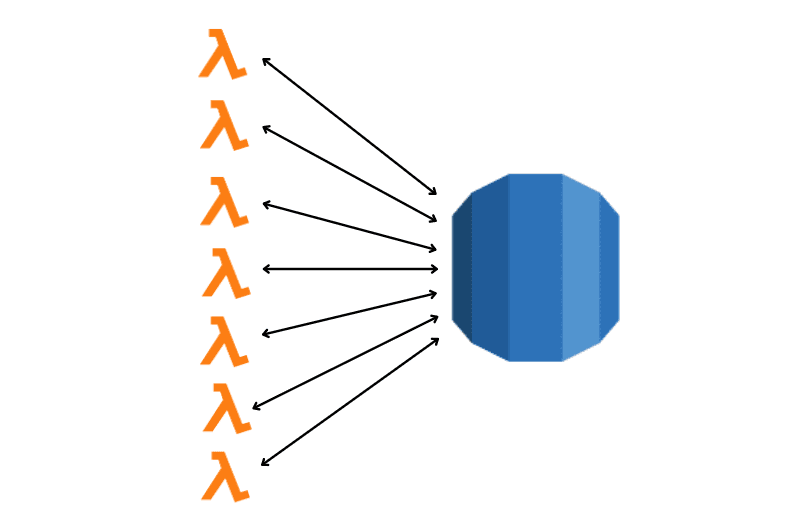
But, on the other hand, Lambda functions can auto-scaling based on your workload, and there can be hundreds of functions spawned within seconds.
In such situations, each Lambda function will try to have a connection with the database, and your database instance will be overwhelmed, resulting in poor application performance.
So, we can use RDS Proxy to manage database connections, and it will act as a middleware for your application and database.
How Does AWS RDS Proxy Work?
As I mention, RDS Proxy act as a middleware to your application and database.
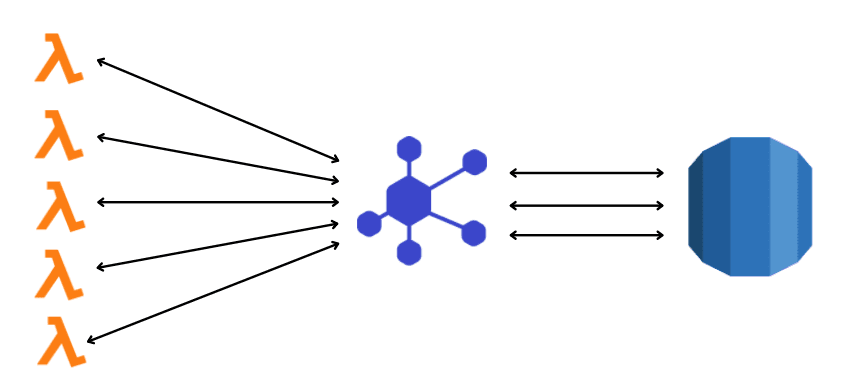
It handles all network traffic between application and database while reducing the number of database connections.
When you create an RDS Proxy, your application will not directly connect to the database. Instead, the application will be connected to RDS Proxy, and the proxy will communicate with the database.
RDS Proxy will ensure that your database instance is not overwhelmed and requests from the application are handled smoothly.
Note: RDS Proxy will only be connected to a single instance or replica of your database at once. If that instance fails, RDS Proxy will be automatically pointed to another instance of your database if there are any.
Since now you understand why we need RDS Proxy and how it works, Let’s see how we can create an RDS Proxy using AWS Console.
Creating an RDS Proxy
In this example, I will only focus on creating RDS Proxy. So, before getting started, you need to have a relational database instance and Lambda function ready.
Step 1 — Create a new database secret.
RDS Proxy not only manages your database connections. It also adds another layer of security to both your application and database. So, as the first step, you need to create an AWS secret using AWS Secrets Manager.
This secret will be used by RDS Proxy to access your database instance, and you don’t need to pass credentials from the code.
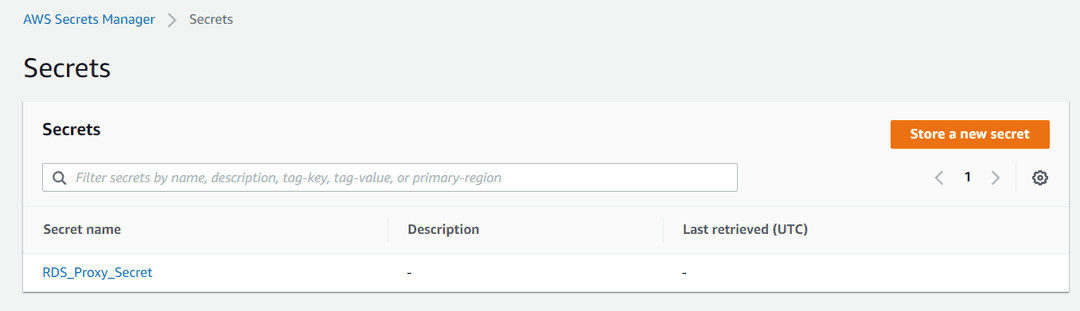
You can select the AWS Secret manager from the service list, and it will open a window like below:
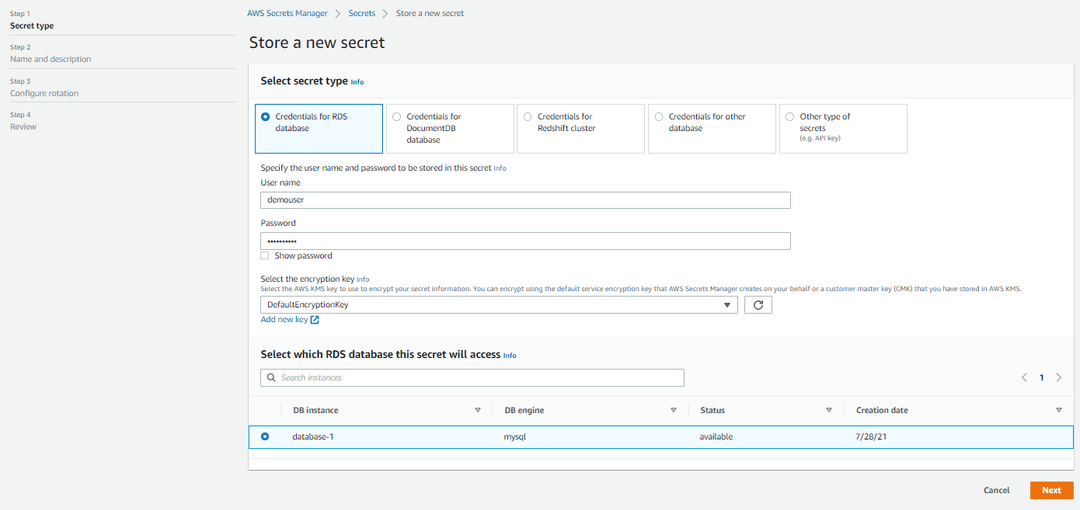
There, you can select the secret type, user name, password, and the instance you need to access with this secret. Then, on the next screen, you can define a name and description for your secret.
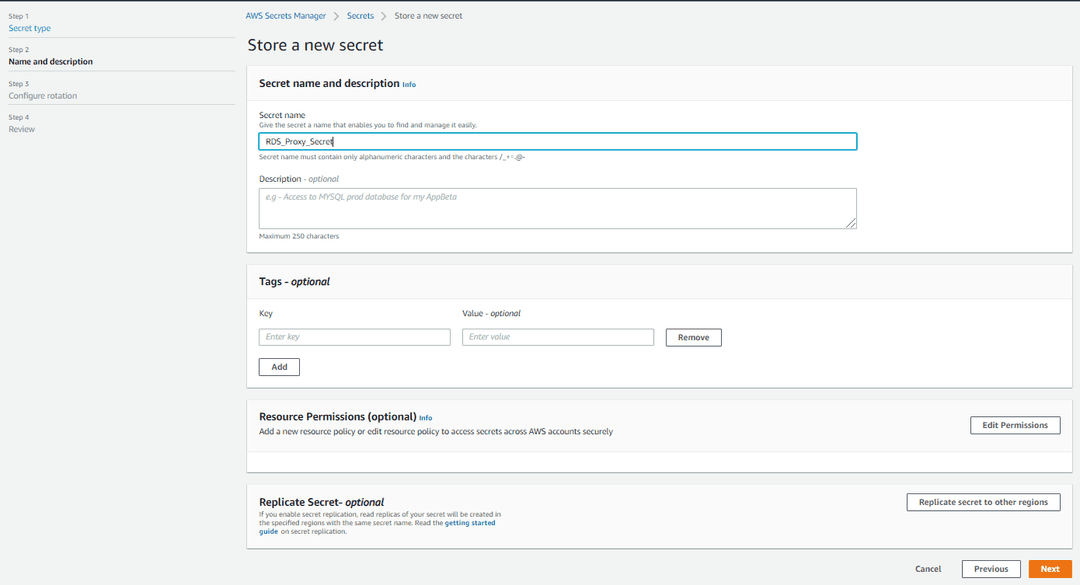
Keep the rest of the setting as it is for now and complete the wizard. In the end, you will see the newly created secret in the Secret Manager list.
Step 3 — Creating the RDS Proxy
Now, let’s create the RDS Proxy. For that, you need to go to the AWS RDS console and select Proxies from the left sidebar. There, you can see existing proxies and create new ones.
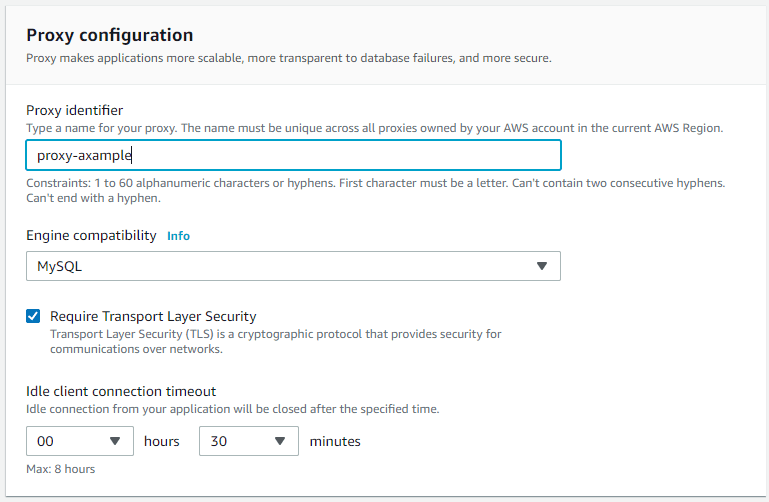
There are few configurations to be made during the proxy creation wizard. You need to give a unique identifier to the proxy, decide whether you need transport layer security, and set an idle connection timeout. Idle connection timeout is the duration a database connection will stay without any work.
Then you can select the database and the maximum number of connections. This number is taken as a percentage of total connections allowed by the database. You need to set it lower if any other applications or proxies use the same database.
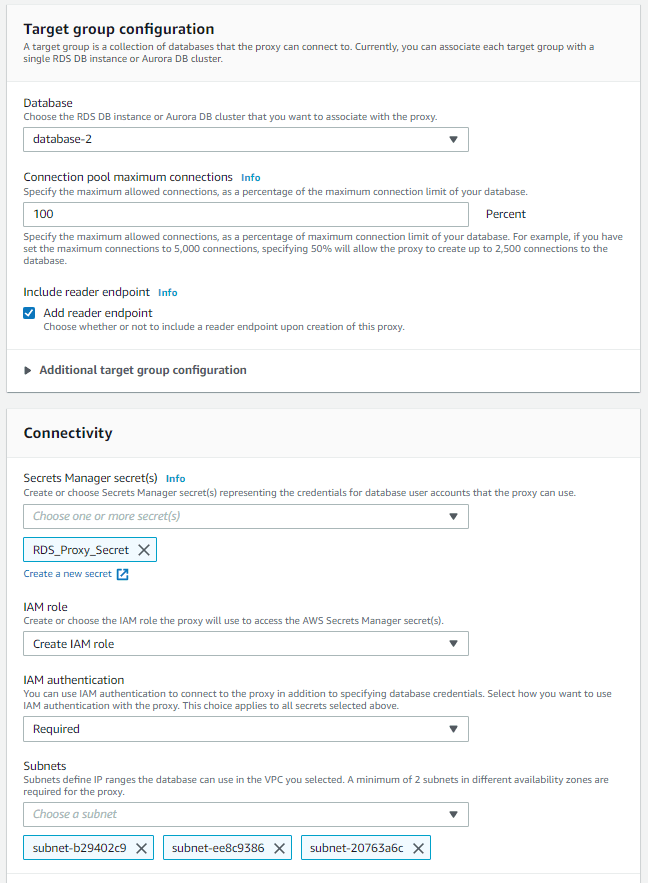
Then, you need to select the database secret created in the first step and decide the IAM role and authentication method. So I will choose to Create an IAM role (this will create a new IAM role) and make authentication required.
Making authentication required will increase the application’s security since the database is accessed using an IAM role instead of credentials.
As the final step of the Proxy creation, you need to select a security group for the proxy. In my case, I will select one of my already created security groups, RDS-Group.
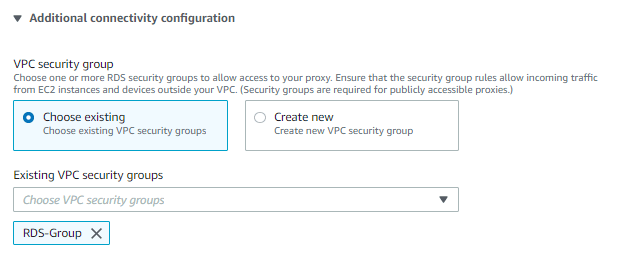
Now, you can finalize the Proxy creation, and within few seconds, a proxy will be created, and you can use the proxy endpoint in your application.
More about VPC security groups
I thought that it would be better if I explain a bit more about VPC security groups. You can find your security groups under the AWS VPC service.
In my case, there are 2 security groups named RDS-Groups for database and Application-Group for application. Since I selected the RDS group for Proxy connection, I need to enable inbound requests from both Application-Group and RDS-Group.

As you can see, I have enabled incoming TCP connections through port 3306 from both groups.
Step 3 — Using the RDS Proxy
Now you can use the created RDS Proxy in your application or the Lambda function.

However, if you use Lambda functions, you might need to update the permission of the IAM role attached to that Lambda function. Otherwise, it won’t be able to use the RDS Proxy.
But, there is an easier way to do that; you can directly attach the Proxy to using Database proxy settings within the Lambda function.
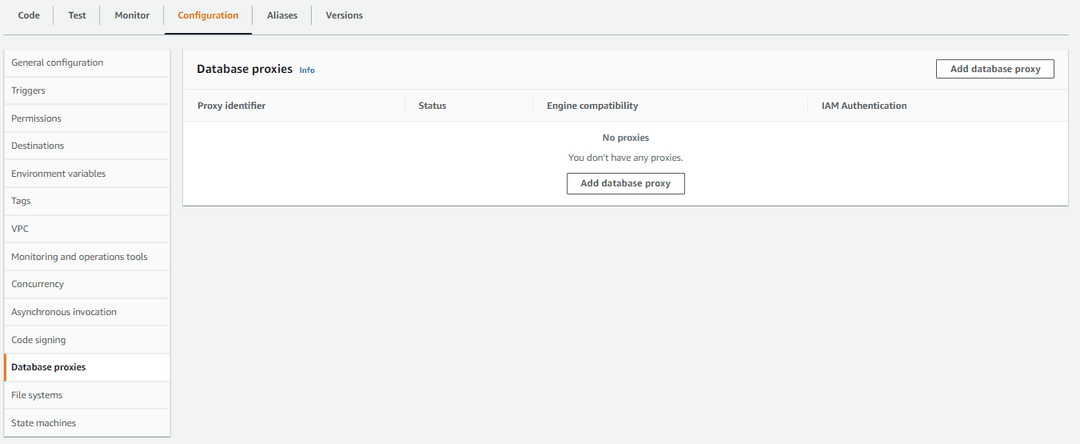
You can select the created proxy and automatically add the necessary permission to the attached IAM role.
That’s it. Now you know the use of AWS RDS Proxy and how easily we can create one. So, I invite you all to use this service in your future projects.
Thank you for Reading !!!
Learn More
Asynchronous Request Handling with AWS SQS
How AWS SQS Makes Request Handling Easyenlear.academy